

Free public beta · macOS and Windows
Three ways to write. One window.
WYSIWYG, hybrid live-preview and raw markdown — the same document, one keystroke apart. Diagrams, maths and export to anything, with nothing to install.
Markdown became the format everything speaks — every README, spec, agent skill and LLM export is a .md file. The editors for it are either abandoned, built for something else, or fifteen dollars. Marko is the maintained one.
Free while in beta. No account, no email required.
The Windows build is not signed yet: SmartScreen will warn you once — More info, then Run anyway.
Why now
Markdown is the lingua franca of AI. It deserves a real editor.
Every CLAUDE.md, agent spec, model output and README is markdown. It is the format we now think in — and the tooling never caught up. Word and VS Code are the wrong shape for a document. A plain text editor is the right shape and no help at all.
The free editors that tried are mostly gone: MarkText last shipped a stable release in 2022, MacDown in 2020. Obsidian absorbed the refugees, but it is a second brain, not a document editor. Typora is good, actively maintained, and $14.99.
Marko is the maintained middle: a document-first editor that is free during beta, cheap after it, and does not want to own your files.
Three ways to write
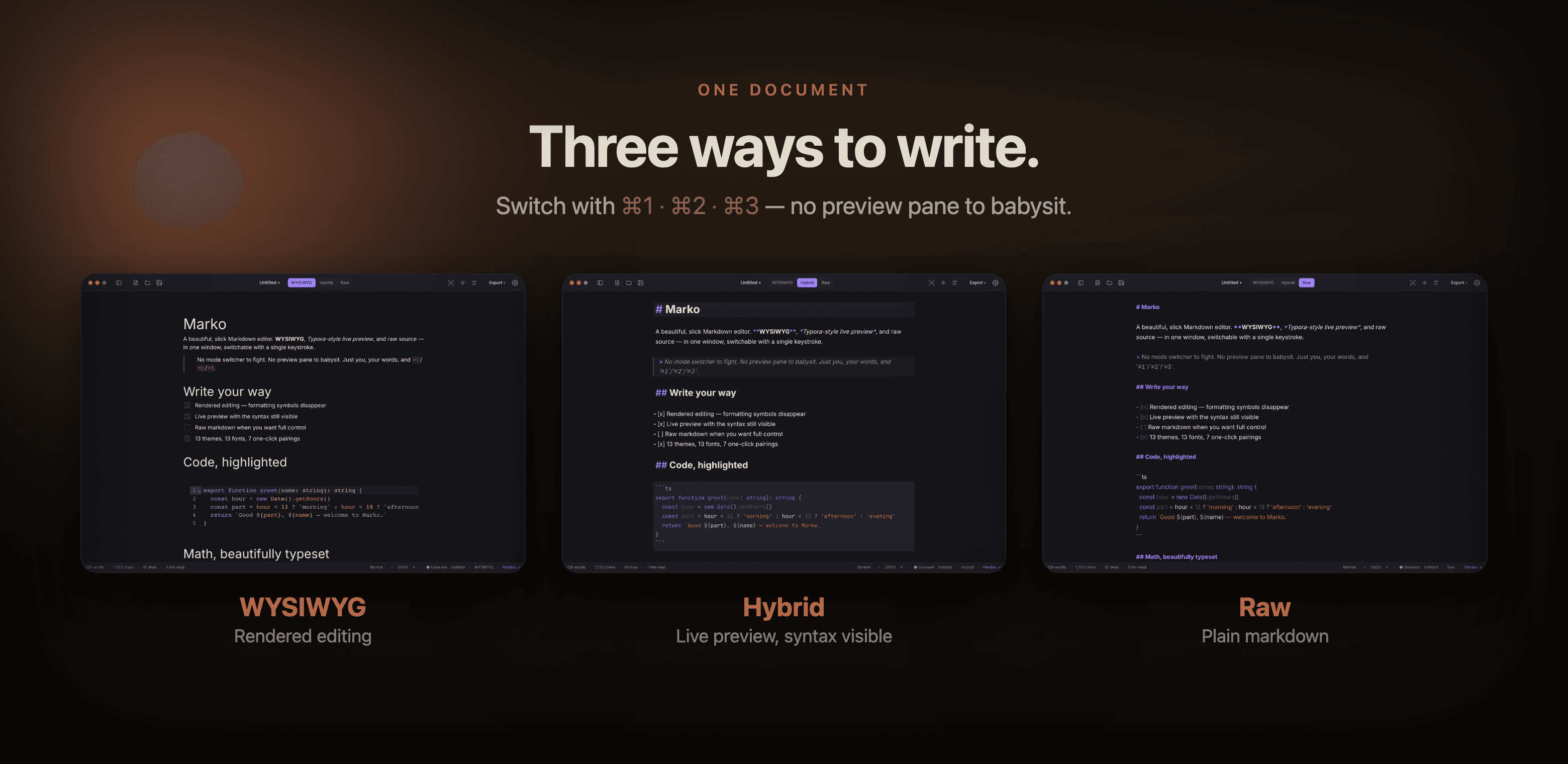
One document. Three ways to write.
WYSIWYG hides the formatting symbols, Notion-style. Hybrid gives you Typora-style live preview with the syntax still visible. Raw is plain markdown when you want full control. Flip between them with ⌘1 / ⌘2 / ⌘3 — no mode switcher to fight, no preview pane to babysit. Find and replace, source line numbers and the table tools work the same way in all three.
Themes
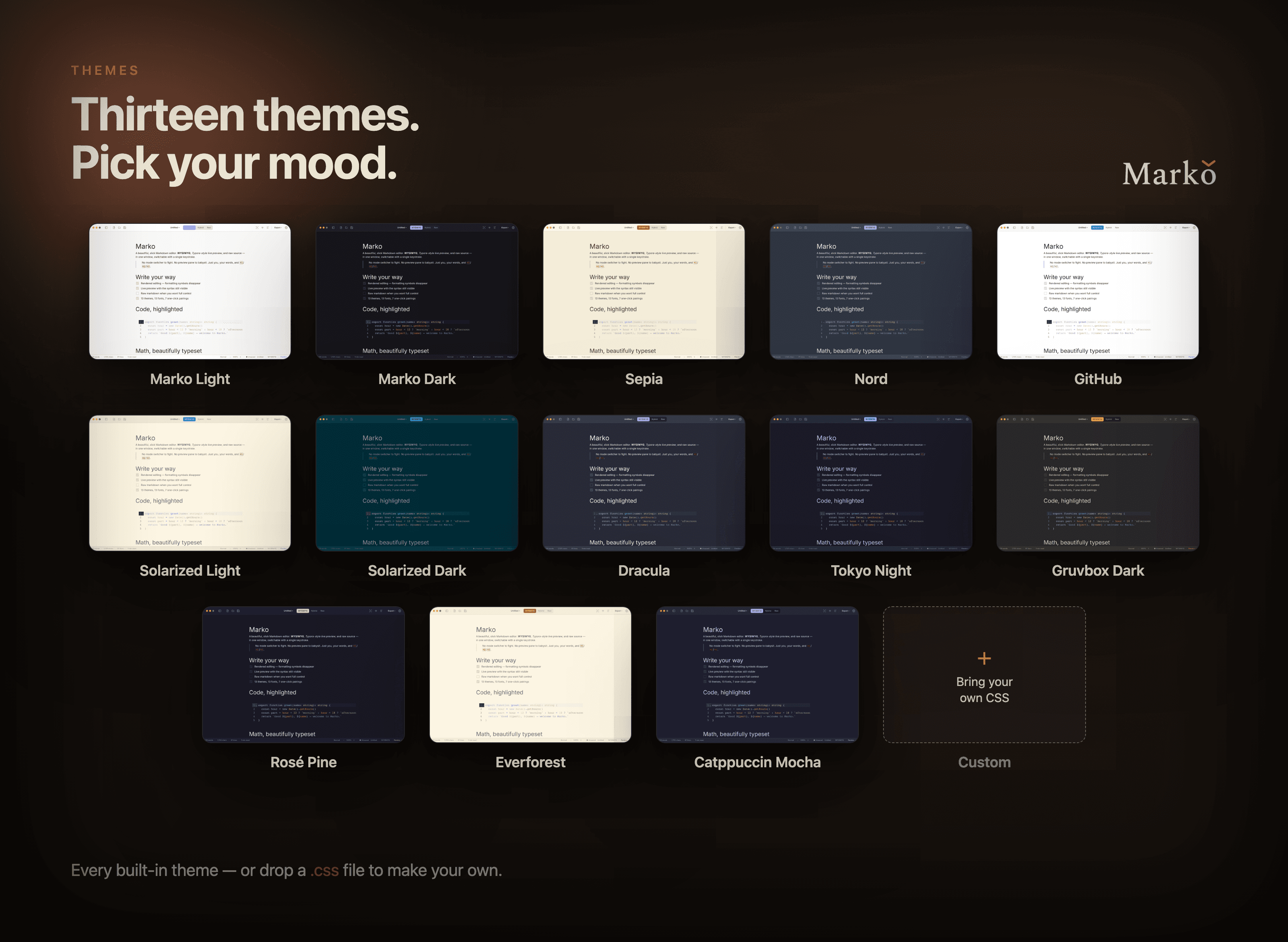
Thirteen themes. Pick your mood.
Marko Light/Dark, Sepia, Nord, GitHub, Solarized, Dracula, Tokyo Night, Gruvbox, Rosé Pine, Everforest, Catppuccin Mocha — plus drop in your own CSS. Fifteen fonts ship with the app, or pick any font already installed on your Mac and save the pairings you like.
Open any markdown file.
See it beautifully.
Export to Word.
What it does
Everything you reach for, in one window.
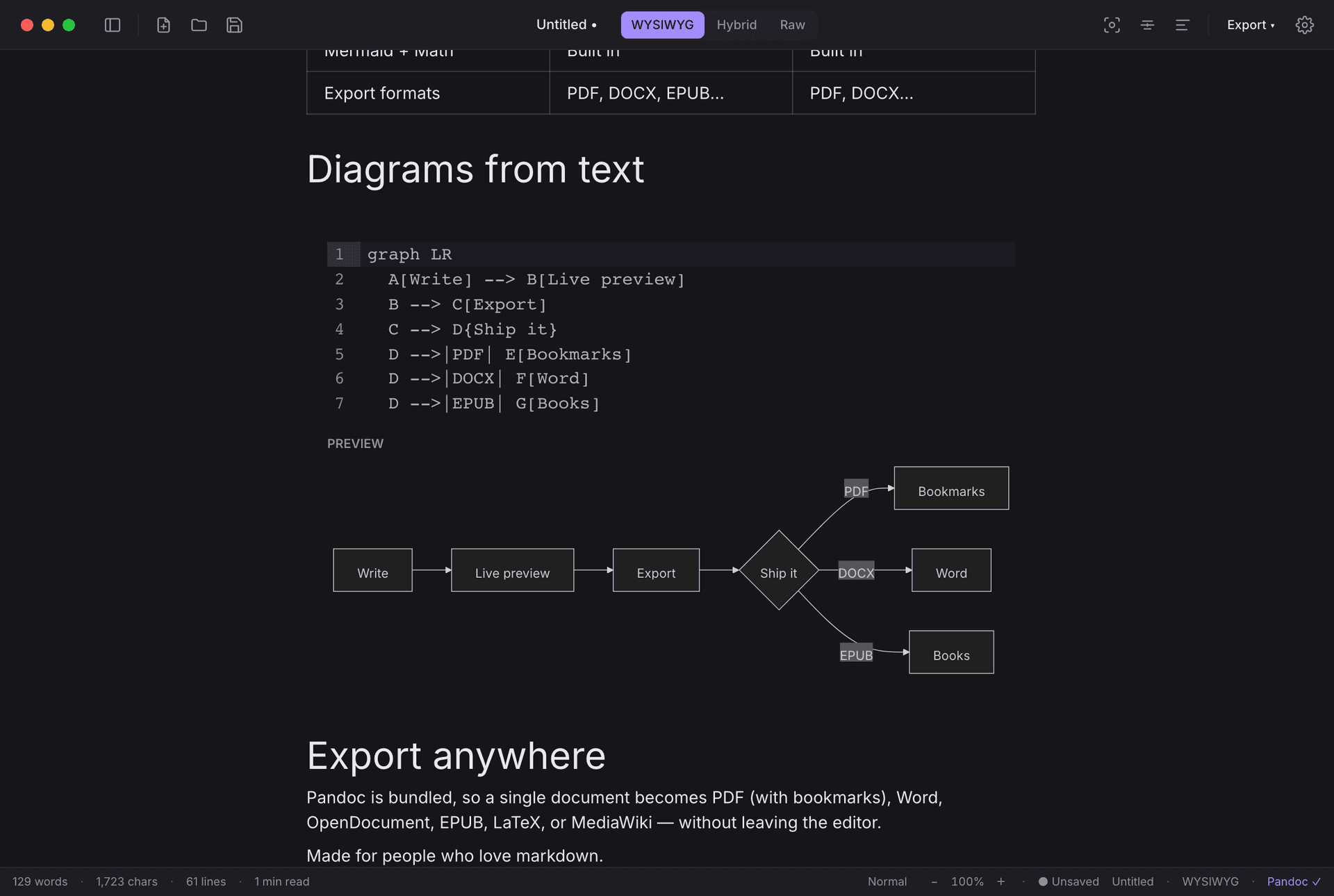
Diagrams from text
Mermaid flowcharts, sequence and gantt diagrams, rendered live as you type — in every mode.
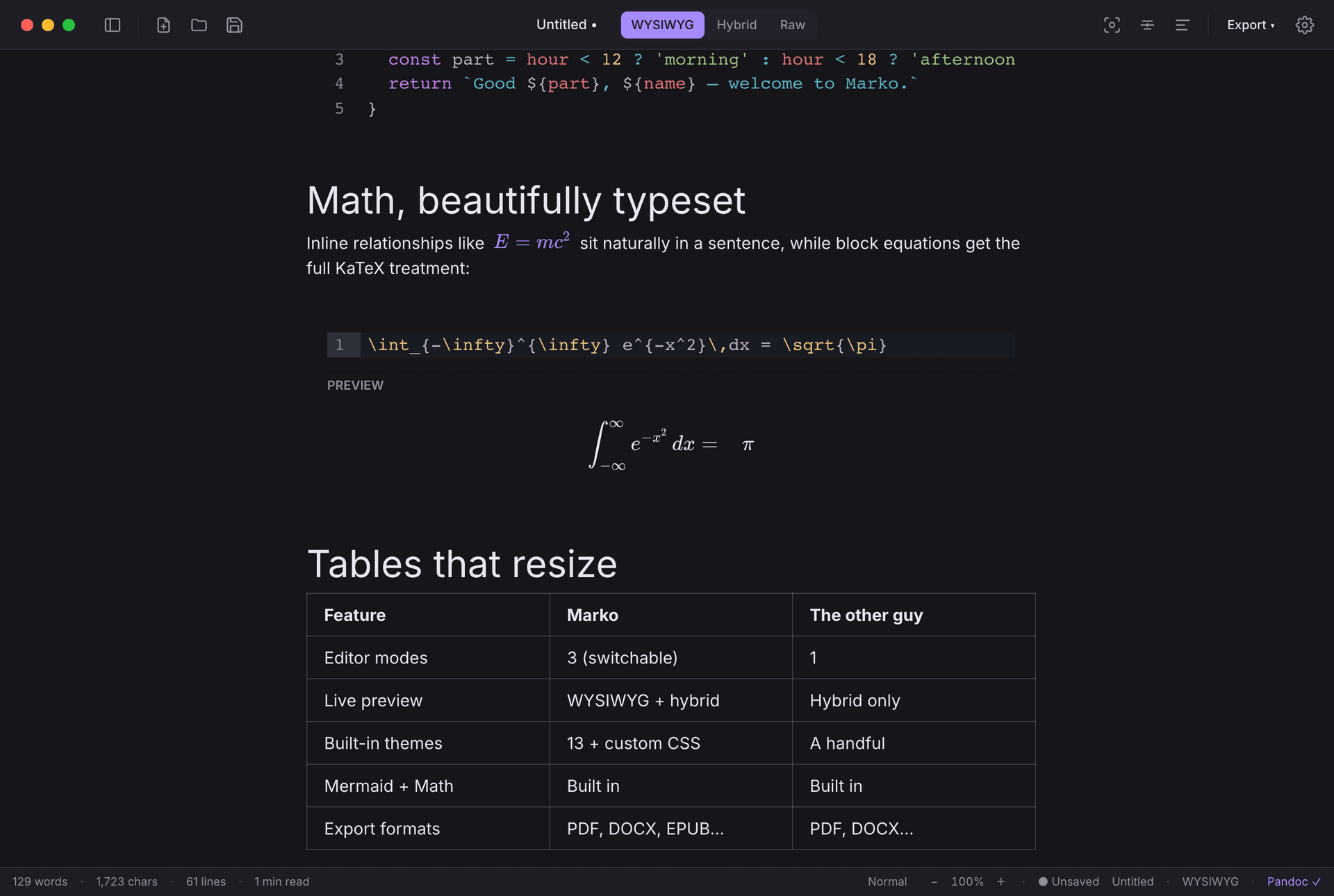
Math, beautifully typeset
Inline and block equations via KaTeX, set naturally in the page.
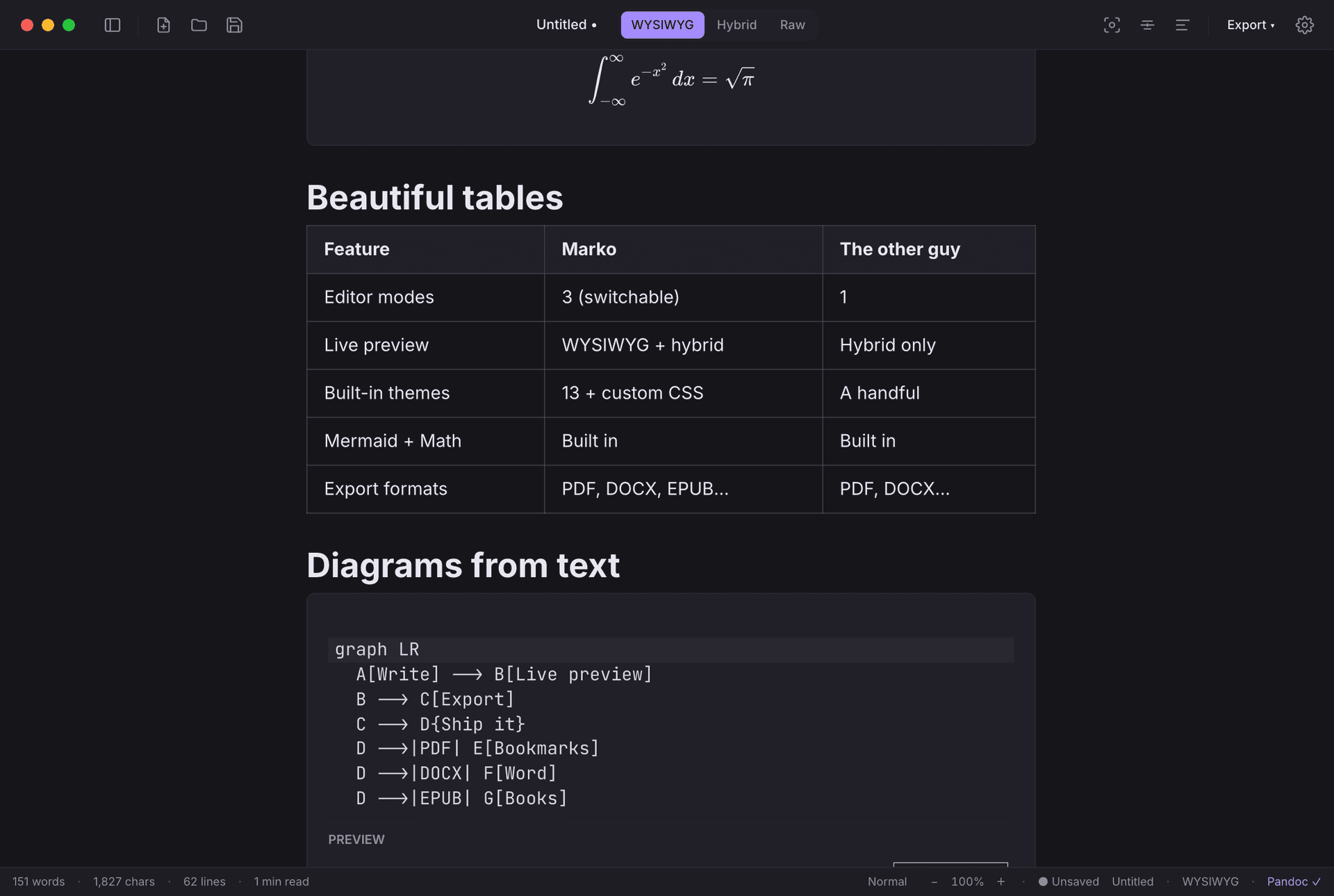
Tables that behave
A layout solver, drag-to-resize columns, and widths that survive a round trip through markdown and out to PDF.
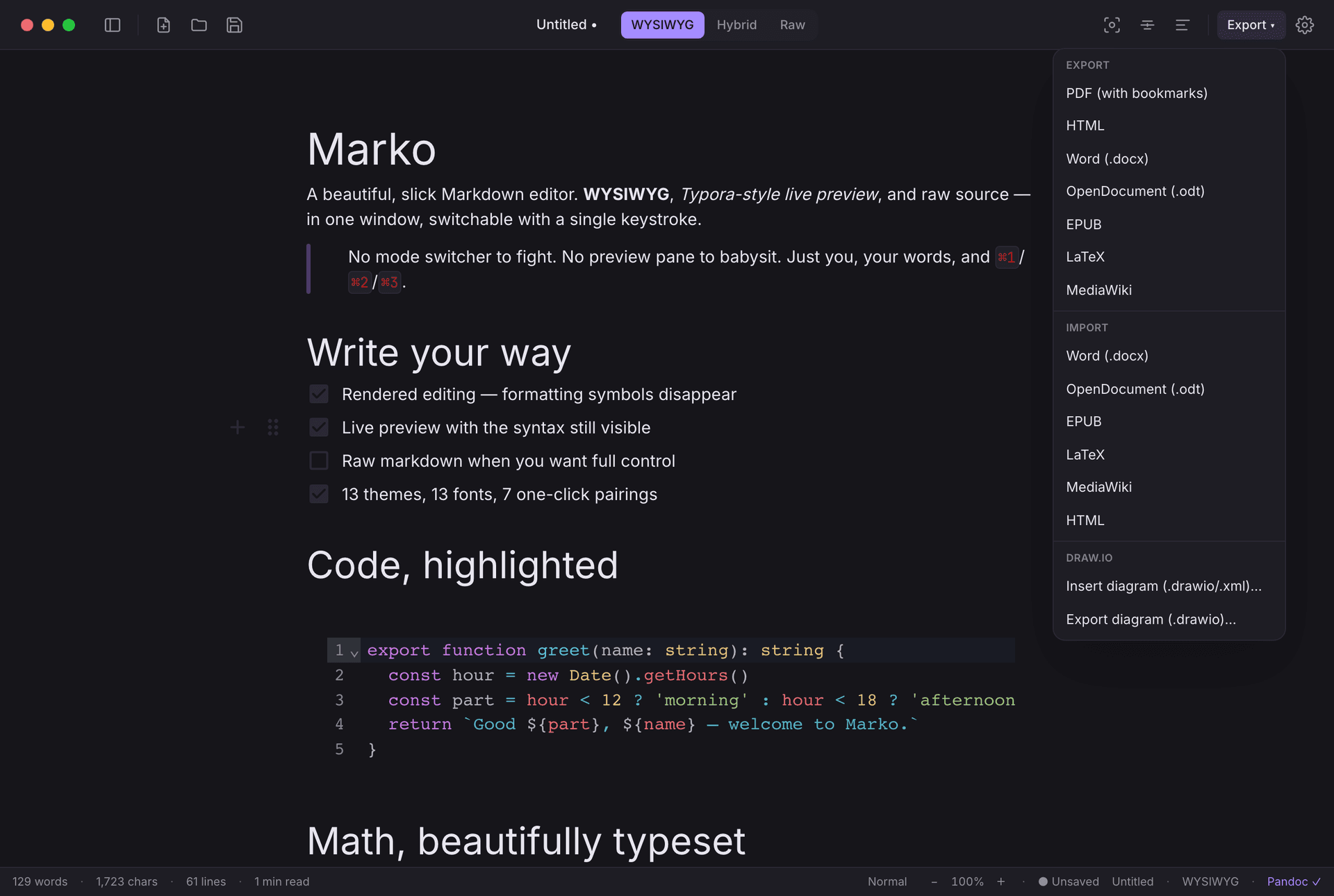
Export anywhere
PDF (with bookmarks), Word, OpenDocument, EPUB, LaTeX, MediaWiki — Pandoc is bundled, zero setup. Import the same formats back. Print, too.
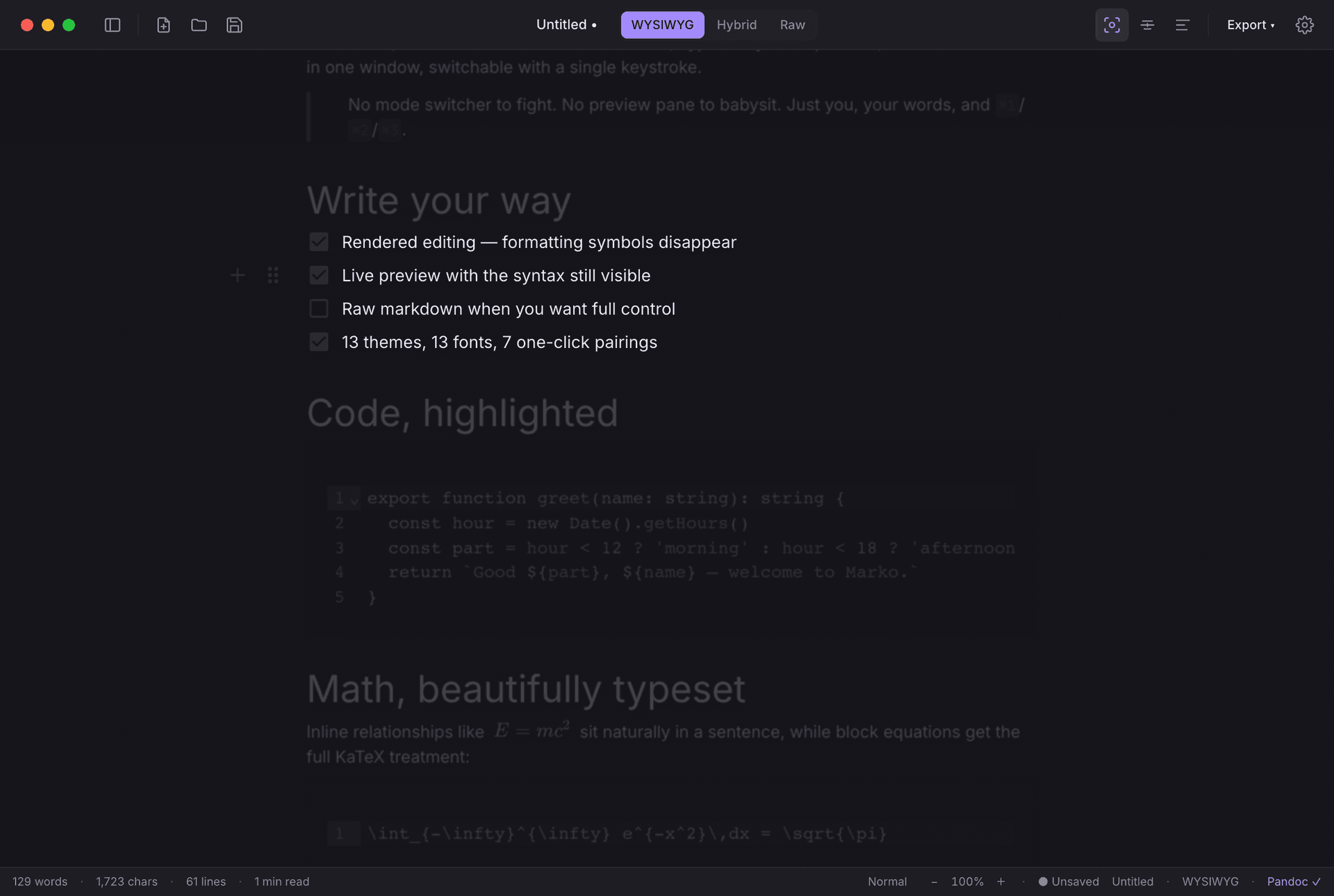
Distraction-free writing
Focus mode dims everything but the current block; typewriter mode keeps your line centered.
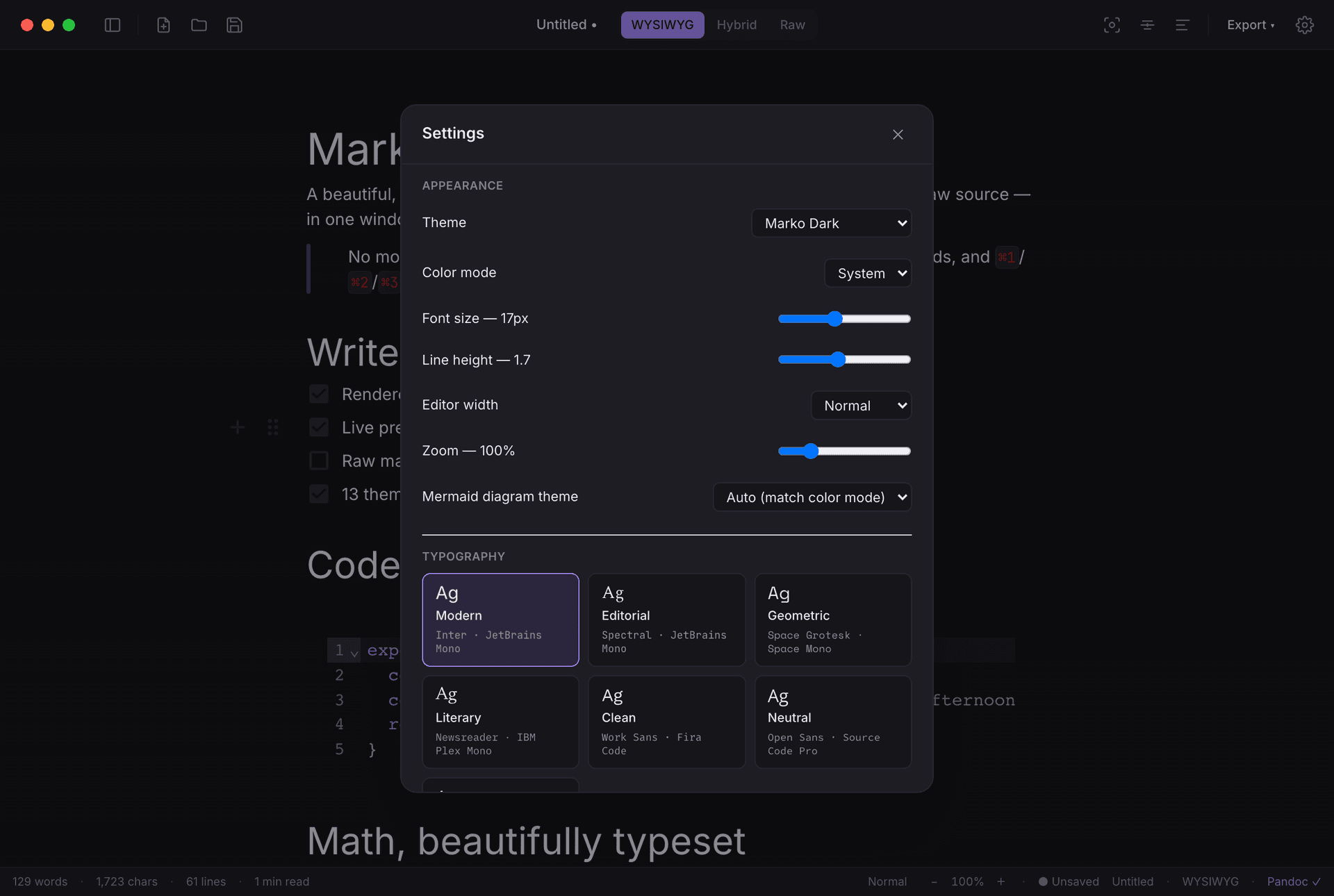
Typography that ships with the app
Fifteen bundled fonts, one-click pairings, and any font you already own — no theme-hunting required.
Why I built it
Death by a thousand paper cuts.
Marko started as a pile of small frustrations. Writing markdown was fine; everything around it was broken. I wanted to sketch a Mermaid diagram and actually watch it render. Pull a table out of a PDF, or hand a clean Word file back, without a detour. Build a table without counting pipes by hand. Just preview formatting as I typed — fast, snappy, no lag. No single tool did all of that well, and stitching five together was its own kind of misery.
So I built the one I had been wishing for. That was June; it has shipped steadily since, and the things I learned from the editors that died — silent data loss, quiet abandonment, performance rot — are the things I am most careful about.
And Typora? Solid app — but it's a $14.99 ask, and I figured I could just build the one I actually wanted. So I did.
Origin story
It started as a weekend project.
The first version went from empty folder to working app in two days, in June 2026. That is still the honest story of how this began — it just is not the headline any more. What matters now is that it kept shipping.
See every releaseDownload
Free while it is in beta.
macOS on Apple silicon, signed and notarised. No account, no email, no waiting on me to send you anything — the button starts the download.
- Free during the beta — no card, no catch.
- Works fully offline. No telemetry, ever.
- Your files stay yours: plain .md on your disk, no vault, no sync service.
- It's young, so it has rough edges. Tell me about them and 1.x is free for you, forever.
Not signed yet, so Windows SmartScreen greets it with a blue "Windows protected your PC" box: click More info, then Run anyway. A signing certificate is on the list, and there is an email box below if you would rather wait for that build than click past a warning.
Want to wait for the signed one?
The Windows installer above works today, it just has not been through code signing yet. If you would rather not click past a warning, leave your email and I will write to you the day the signed build lands.
One email, when Windows is signed. Nothing else, and nothing about the Mac version.
Pricing
Free now. $9.99 later. Not $14.99.
Being straight about this up front, because "free for now" usually means "priced once you depend on it".
During the beta
Free, in full. Every feature, no trial clock, no nagging.
At 1.0
$9.99 once — not a subscription. Every 1.x update is included, and you will be able to try it properly before paying.
If you help me test it
File a bug or a feature request during the beta and 1.x is free for you, permanently. That is the whole deal.
None of this is charged for yet, and nothing here is a contract — it is what I intend for 1.0. The price arrives with that release, and this page says so before it does. Marko is made and sold by Aditya Gupta.
Questions
The three things people ask.
- Why is it 164 MB? Is this an Electron app?
- It is. That 164 MB is the Mac disk image; the Windows installer is 122.6 MB. Most of either one is Pandoc, the bundled conversion engine. That is the trade: the download is fat so that exporting to DOCX, EPUB or LaTeX needs no installs, no Homebrew, and no "please install Pandoc first" dialog. Typora asks you to install Pandoc separately. Marko does not.
- macOS only?
- Not any more — there is a Windows installer on this page now. It ships with every release, and it is not signed yet, so SmartScreen shows a "Windows protected your PC" box the first time you run it: More info, then Run anyway. I would rather hand it to you with that explained than hold it back until a certificate arrives. Signing is on the list, and there is an email box above if you would rather wait for it. On the Mac it is Apple silicon only.
- Where do my files live? Do you see anything?
- They live wherever you saved them, as plain markdown. There is no account, no vault, no sync, and the app sends nothing anywhere — turn your Wi-Fi off and it behaves identically. The website has analytics; the editor has none.